Bench R&D
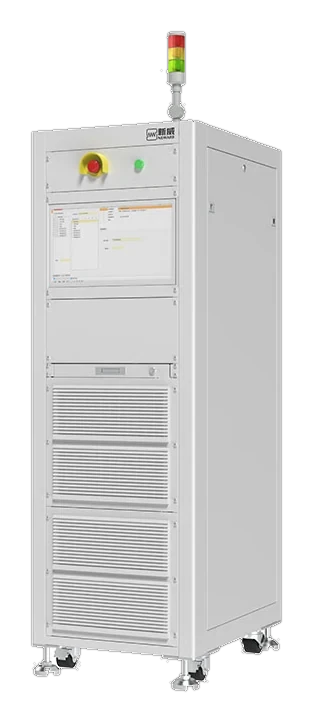
One workstation, a rack of cell-test channels and BTS 9.1 — schedules, live curves and cycle-life views on a single PC.
Software · BTS 9.1
BTS 9.1 schedules the test, captures every channel at up to 1000 Hz, and keeps the record traceable from sample login to signed report.
Instrument control, LIMS workflow and analysis sit in one application. Test data is not re-keyed between systems, and every change to a record carries an operator and a timestamp.
Sampling is selectable per model. Interface scope and compliance scope are confirmed at quotation.


Capabilities
Functions that would otherwise be split across a cycler front end, a spreadsheet and a separate lab system.
Typical configuration
One workstation, a rack of cell-test channels and BTS 9.1 — schedules, live curves and cycle-life views on a single PC.
BTS 9.1 driving 512-channel formation cabinets, with auto-generated grading results and LIMS hand-off as cells move down the line.
Role-based access, append-only audit trail and linked electronic records, configured with your QA team around an existing SOP.
Data integrity
Built for labs that have to show who did what, when, and with which instrument.
BTS 9.1 records test activity against the instrument, the channel and the signed-in operator. Method edits, starts, pauses and manual interventions are written to an audit trail rather than overwritten.
Access is role-based, so an operator can run a schedule without editing methods or deleting records. Electronic records are retained with the test and can be reviewed alongside the raw channel data.
The workflow is designed to support labs working toward 21 CFR Part 11 expectations. It is a software control, not a certification: validation and SOP fit remain with your quality team.
Data leaves the instrument once and is consumed by the systems that already own sample identity and reporting.
| System | Direction | Typical payload | Notes |
|---|---|---|---|
| LIMS | Two-way | Sample ID, test assignment, result, status | Built-in LIMS workflow; third-party LIMS scope agreed at quotation. |
| MES | Outbound | Serial number, grade, pass/fail, timestamp | Used on formation and grading lines; interface specification per project. |
| ERP | Outbound | Batch summary, yield, rework counts | Aggregated at batch level rather than per raw sample. |
| Analytics / data lake | Outbound | CSV, XLSX or raw channel export | File-based by default; API options depend on version and licence. |
Integration paths are illustrative. Protocols, API availability and validation responsibility are confirmed at quotation.
A software install is a project. These are the four steps we plan with your team.
Workstation, database and instrument links installed and checked against the agreed configuration.
Your protocols are translated into BTS 9.1 methods; limits, cut-offs and sampling rates are reviewed together.
Users, permissions and review responsibilities are configured with QA, including audit-trail review practice.
We provide the configuration record and test evidence your team needs for IQ/OQ; sign-off stays with your quality function.
Each step keeps the sample identity attached, so a result can be traced back to the channel and the raw sample record.
Exact interfaces and export formats are confirmed at quotation.
Software boundaries matter as much as feature lists. These are the ones that come up in validation reviews.
BTS 9.1 manuals, release notes and validation-support documents are supplied with the licence. The shared instrument datasheets are in the resources centre.
Yes. BTS 9.1 exports report-grade PDF and tabular CSV or XLSX files for downstream analysis. The supported set depends on the version and licence, so we confirm it against your workflow at quotation.
BTS 9.1 includes LIMS functions for sample registration, test assignment and results. MES and ERP integration is scoped per project through a documented interface. Where you already run a third-party system, the interface, direction of data flow and validation are specified at quotation.
API availability depends on the BTS 9.1 version and licence. For most labs, file-based export is enough; where a live interface is required, the protocol and payload are agreed during project scoping rather than assumed.
The software is 21 CFR Part 11 friendly: audit trail, role-based access and retained electronic records are built in. Compliance is a property of your validated workflow, so we support your qualification instead of claiming it for you.
Yes. SMBus, CAN and CAN-FD are supported, and DBC files map the CAN signals into named channels alongside voltage, current and temperature. Available buses vary by model and are confirmed at quotation.
10 / 100 / 1000 Hz is selectable. Use 1000 Hz for pulse and fast-charge work where transient response matters, and a lower rate for long cycle-life runs where file size and review time dominate.
Send us a protocol and the instruments it has to run. We map it to BTS 9.1, confirm the interface set and quote the licence — typically within one business day.
Talk to an engineer
Request a quote